
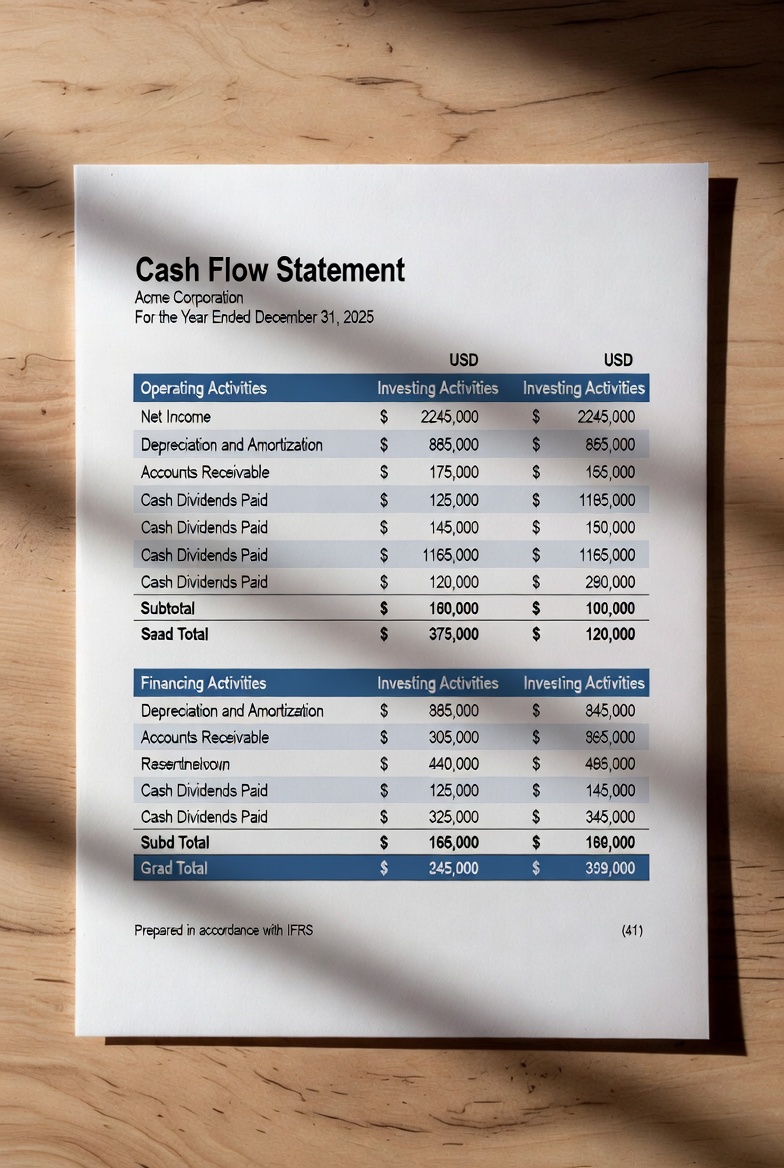
Cash Flow Statement
Cash Flow Statement
Auto-calculating · Saved in your browser
Cash Flow Statement for Small Businesses — Free Online Tool
Managing cash is the single most important financial task for any small business owner. Yet most free tools are either too complicated, locked behind expensive accounting software subscriptions, or buried inside spreadsheets that break the moment you touch them. The Cash Flow Statement for Small Businesses changes that. It is a free, browser-based cash flow statement tool built specifically for small business owners, sole traders, freelancers, and startups who need professional financial reporting without the complexity or cost.
What Is a Cash Flow Statement?
A cash flow statement is one of the three core financial statements used in business accounting — alongside the profit and loss statement (income statement) and the balance sheet. It tracks the actual movement of cash in and out of your business over a specific period, giving you a clear picture of your company’s liquidity and financial health.
Unlike a profit and loss report, which can look healthy on paper even when a business is cash-poor, a cash flow statement tells you whether you actually have money available to pay suppliers, staff, rent, and loan repayments. For small businesses, cash flow problems are one of the leading causes of failure — which is why tracking cash flow regularly is not optional; it is essential.
A properly prepared cash flow statement is divided into three sections:
Operating activities cover the day-to-day cash generated or used by your core business operations — things like net income or profit, changes in accounts receivable, inventory movement, accounts payable, and depreciation adjustments.
Investing activities capture cash spent on or received from long-term assets — such as purchasing equipment, making capital expenditure, or selling fixed assets.
Financing activities record cash flows related to funding the business — including loan proceeds, loan repayments, owner drawings, dividends, and equity raised from investors.
Together, these three sections give you your net change in cash for the period and, combined with your opening cash balance, your closing cash balance — the number that tells you exactly where you stand.
What Does the Cash Flow Statement Tool Do?
This free online cash flow statement tool is designed to make financial reporting fast, accurate, and accessible for small businesses that do not have a dedicated accountant or finance team.
Here is what you get:
Auto-calculating totals. Every figure you enter updates instantly. Section subtotals for operating, investing, and financing activities recalculate in real time. The net change in cash and closing cash balance update automatically as you type — no formulas to write, no risk of broken cell references.
Colour-coded cash flow indicators. Positive cash flows are highlighted in green; negative cash flows appear in red. At a glance, you can see which areas of the business are generating cash and which are consuming it.
Fully customisable line items. The tool comes pre-loaded with the most common line items for each section, but you can rename any label, add new rows, or delete lines you do not need. Whether you run a retail shop, a service business, a construction company, or a freelance practice, you can tailor the statement to reflect your actual cash flows.
Opening and closing balance tracking. Enter your opening cash balance at the start of the period, and the tool automatically calculates your closing balance. This makes it easy to reconcile your cash flow statement with your bank account.
Browser storage. Your data is saved automatically to your browser’s local storage as you work. There is no account required, no login, and no data sent to a server. Your figures stay private and are available every time you return to the page.
PDF export. Generate a clean, professionally formatted PDF version of your cash flow statement in one click — ready to share with your accountant, bank manager, or business partner, or to keep for your own records.
CSV export. Download your cash flow data as a CSV file for importing into Excel, Google Sheets, or any other spreadsheet or accounting software.
How to Use the Cash Flow Statement Tool
Using the tool takes only a few minutes, even if you have never prepared a formal cash flow statement before.
Step 1 — Set your business name and period. At the top of the tool, enter your business name and the reporting period (for example, “Q1 2025”, “January 2025”, or “Financial Year 2024–25”). This information will appear on your exported PDF.
Step 2 — Enter your opening cash balance. Type the cash balance your business held at the start of the period. This is typically your bank balance on the first day of the month or quarter.
Step 3 — Fill in your operating activities. Work through the pre-populated line items — net income or profit, depreciation, accounts receivable changes, inventory movements, and accounts payable changes. Add any additional operating cash flows relevant to your business using the “add line item” button.
Step 4 — Complete your investing activities. Record any cash spent on purchasing equipment, machinery, or other capital assets, and any proceeds from asset sales. Capital expenditure is one of the most common investing cash outflows for growing small businesses.
Step 5 — Record your financing activities. Add details of any loan proceeds received or repayments made during the period, along with owner drawings, dividends paid, or equity raised.
Step 6 — Review your totals. The summary cards at the top of the tool show your operating, investing, and financing totals at a glance. The net change in cash and closing balance update automatically, giving you an instant picture of your cash position.
Step 7 — Export or save. Click the PDF button to download a formatted cash flow statement for your records or to share with your accountant. Use the CSV button to export the data to a spreadsheet. Your data is also saved automatically in your browser so you can return and update it at any time.
Who Is This Tool For?
The cash flow statement tool is designed for:
- Small business owners preparing monthly, quarterly, or annual cash flow statements
- Sole traders and freelancers who need a simple way to track business cash flows
- Startups preparing cash flow projections or actual statements for investor presentations or bank loan applications
- Limited company directors who want to understand their company’s cash position between formal accounting periods
- Students and trainees learning how to prepare and read a cash flow statement
Why Cash Flow Matters More Than Profit
A business can be profitable on paper and still run out of cash. This happens when customers pay late, when too much capital is tied up in stock, or when loan repayments fall due at the wrong time. Monitoring your cash flow statement regularly — monthly is ideal for most small businesses — helps you spot problems early, plan ahead for lean periods, and make smarter decisions about spending, borrowing, and growth.
The Cash Flow Statement for Small Businesses gives you a professional, structured way to do exactly that — for free, in your browser, with no accounting knowledge required.
Leave a Reply
You must be logged in to post a comment.